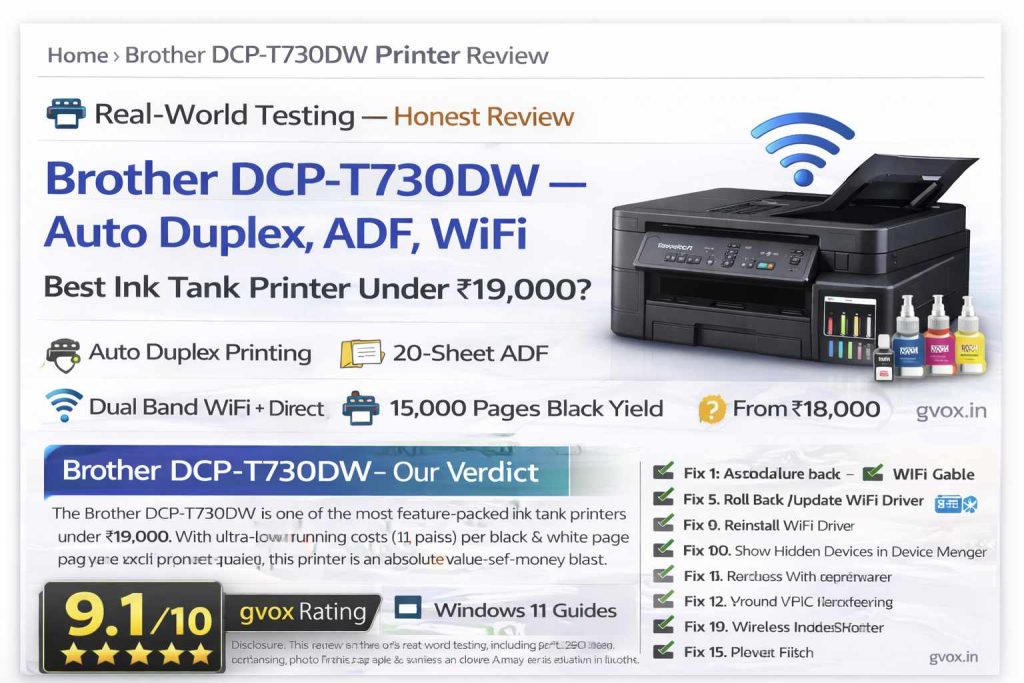
Brother DCP-T730DW — Auto Duplex, ADF, WiFi
Best Ink Tank Printer Under ₹19,000?
3-in-1 ink tank printer with Auto Duplex Printing, 20-sheet Automatic Document Feeder (ADF), Dual Band WiFi, 150-sheet paper tray, 300 GSM bypass tray, and ultra-high page yield — up to 15,000 black & 5,000 color pages. Is this the ultimate home/office printer?
⚡ Quick Summary — Brother DCP-T730DW at a Glance
The Brother DCP-T730DW is designed for users who need high-volume, low-cost printing without compromising on features. Auto duplex saves paper, ADF saves time, and the high page yield saves money. Whether you’re a student, a home office worker, or a small business owner, this printer delivers exceptional value.
📋 Review Index
What’s in the Box
Design & Build Quality
📐 Compact Size — Fits Any Desk
The Brother DCP-T730DW is surprisingly compact for a printer with so many features. Dimensions are 390mm × 343mm × 182.5mm, and it weighs just 8.6 kg. It fits easily on any desk or workspace without taking up too much room. The matte black finish with subtle grey accents gives it a professional, premium look.
The front-access paper tray is a highlight — it keeps paper protected from dust and moisture. You can extend it to fit legal size paper. The rear bypass tray is perfect for single-sheet thick paper (envelopes, glossy photo paper, cardstock) up to 300 GSM. The control panel can be tilted to three different angles for comfortable operation. The 1-line LCD display shows all essential information and settings.
✅ Design Strengths
- Compact footprint — fits anywhere
- Front-access ink tank with transparent window
- 150-sheet front tray (dust protected)
- Rear bypass tray for thick paper (300 GSM)
- Tiltable control panel (3 angles)
- Easy paper jam access from back
- Legal size paper support in tray & ADF
❌ Design Notes
- Plastic build (expected at this price)
- No automatic duplex scanning (only single-sided ADF)
- No Ethernet port (WiFi only + USB)
- 1-line LCD — not touch or color
Ink Refilling System — Spill-Proof & Mess-Free
Brother’s ink refilling system is one of the best in the industry. Each ink bottle has a uniquely shaped nozzle that only fits into its matching color tank. This means you cannot accidentally fill the wrong color ink — even if you’re color blind. The bottles are also designed to prevent spills. Simply insert the bottle, press gently, and the ink flows automatically. The transparent tank windows let you easily monitor ink levels.
Connectivity & Setup
Setting up the printer is straightforward. You can connect via USB, or use the WiFi setup wizard on the printer’s LCD. The Brother Mobile Connect app (available on Play Store and App Store) lets you print, scan, copy, and monitor ink levels directly from your phone. WiFi Direct allows you to print even without a router — perfect for quick mobile printing.
Print Quality & Speed
⚡ Fastest Ink Tank Printer in its Class
Brother claims this is the fastest ink tank printer in its price range. In Eco mode, you get 27 pages per minute (black) and 23 pages per minute (color). In standard mode, the speed is 16 ipm (black) and 15.5 ipm (color). The first page prints in approximately 6.2–6.5 seconds. Print resolution goes up to 1200 × 6000 dpi, delivering sharp text and vibrant colors.
| Print Mode | Document Type | Pages | Time | Speed (approx) |
|---|---|---|---|---|
| Eco Mode (Color) | Heavy document (images + diagrams) | 9 pages | 60 seconds | 9 ppm |
| Eco Mode (B&W) | Heavy document (images + diagrams) | 9 pages | 53 seconds | 10.2 ppm |
| Standard Mode (B&W) | Text document | 1 page | ~6.5 sec | — |
Text quality is excellent — sharp, crisp, and highly readable even at small font sizes. Color prints are vibrant and well-saturated. Gradients are smooth, and there’s no banding. The printer uses piezoelectric inkjet nozzles (not thermal), which are more durable and less prone to clogging.
Auto Duplex Printing — Save Paper Automatically
The auto duplex feature is a game-changer for anyone printing multi-page documents. The printer automatically prints on one side, pulls the paper back in, and prints on the other side — all without any manual intervention. This saves paper (and money) and also saves time. You can enable duplex printing from your computer’s print dialog or from the Brother Mobile Connect app.
ADF — 20-Sheet Automatic Document Feeder
The 20-sheet Automatic Document Feeder (ADF) is one of the standout features of this printer. Load up to 20 pages, press the copy or scan button, and the printer automatically feeds each page one by one. This is a huge time-saver for multi-page documents. The ADF also supports legal size paper — something many competitors don’t offer at this price point.
📱 Scan to Mobile or PC
Using the Brother Mobile Connect app, you can scan documents directly to your phone and save them as PDF or JPEG. You can then share them via WhatsApp, email, or any other app. The scanner resolution goes up to 1200 × 2400 dpi (flatbed) and 1200 × 600 dpi (ADF).
Photo Printing Test — 300 GSM Glossy Paper
🖼️ Professional Quality Photo Prints at Home
The DCP-T730DW supports thick media up to 300 GSM via the rear bypass tray. We tested it with Kodak Ultra Premium Photo Paper (270 GSM), and the results were outstanding. Colors are rich and accurate, details are sharp, and gradients are smooth. You can print borderless photos up to A4 size — perfect for creating your own photo studio at home.
For passport-size photos, ID cards, or enlargements — the DCP-T730DW delivers results that rival professional photo labs. The piezoelectric print head ensures consistent ink flow and reduces the risk of clogging, even if you don’t print for a few days.
Full Specifications — Brother DCP-T730DW
| Specification | Details |
|---|---|
| Functions | Print, Scan, Copy (3-in-1) |
| Print Technology | Ink Tank (Piezoelectric) |
| Print Speed (Eco Mode) | 27 ppm (Black) / 23 ppm (Color) |
| Print Speed (Standard) | 16 ipm (Black) / 15.5 ipm (Color) |
| First Page Out Time | ~6.2–6.5 seconds |
| Print Resolution | Up to 1200 × 6000 dpi |
| Auto Duplex (2-sided) | ✅ Yes (Print only) |
| ADF Capacity | 20 sheets |
| ADF Scan Resolution | Up to 1200 × 600 dpi |
| Flatbed Scan Resolution | Up to 1200 × 2400 dpi |
| Paper Tray Capacity | 150 sheets (80 gsm) |
| Bypass Tray | 1 sheet, up to 300 GSM |
| Paper Sizes Supported | A4, Letter, Legal, India Legal, Executive, B5, A5, B6, A6, Photo sizes, Envelopes |
| Connectivity | Dual Band WiFi (2.4/5GHz), WiFi Direct, Hi-Speed USB 2.0 |
| Mobile Printing | Brother Mobile Connect, Mopria, AirPrint |
| Display | 1-line LCD (16/20 characters) |
| Memory | 128 MB |
| Ink Bottle Black (BTD100BK) | ~7,500 pages (2 bottles in box → 15,000 pages) |
| Ink Bottle Color (BTD100C/M/Y) | ~5,000 pages each |
| Warranty | 1 year or 50,000 pages (whichever earlier) |
| Dimensions (W×D×H) | 390 × 343 × 182.5 mm |
| Weight | 8.6 kg |
| Power Consumption (Ready) | ~2.5 W |
| Power Consumption (Sleep) | ~0.6 W |
| Noise Level | 55.0 dB(A) |
| MRP | ₹22,990 |
| Street Price | ₹18,000 – ₹19,000 (online) |
Running Cost & Page Yield — Real Numbers
The running costs of the Brother DCP-T730DW are among the lowest in the ink tank printer segment. A black & white page costs approximately 11 paise (including the cost of the ink bottle). A color page costs approximately 34 paise. Compare this to cartridge-based printers where each page can cost ₹5–₹10, and the savings become enormous over time.
💬 Honest Opinion — After Real-World Testing
The Brother DCP-T730DW is, without a doubt, one of the most complete ink tank printers under ₹20,000. It doesn’t cut corners on features to hit a lower price point. You get auto duplex printing, a 20-sheet ADF, dual band WiFi, a 150-sheet paper tray, and a rear bypass tray for thick media — all in a compact, well-built package.
The print quality is excellent for both text and color documents. Photo prints on glossy paper rival what you’d get from a professional photo lab. The running costs are incredibly low, and the included ink bottles will last most home users for a year or more.
The only real compromises are the single-sided ADF (no automatic duplex scanning) and the monochrome 1-line LCD display. But at this price point, these are acceptable trade-offs. If you need auto duplex scanning, you’ll have to spend significantly more on a higher-end model.
Overall, the Brother DCP-T730DW is a value-for-money champion that deserves serious consideration for anyone in the market for a home or small office printer.
🎯 Final Verdict — Who Should Buy Brother DCP-T730DW?
Frequently Asked Questions (FAQ)
📌 Source: This review is based on real-world testing of the Brother DCP-T730DW including print speed tests, duplex printing, ADF scanning, photo print quality, WiFi connectivity, and running cost calculations. Pricing and specifications verified from official Brother India website and online marketplaces.
For more printer and tech reviews, visit Gvox.in.