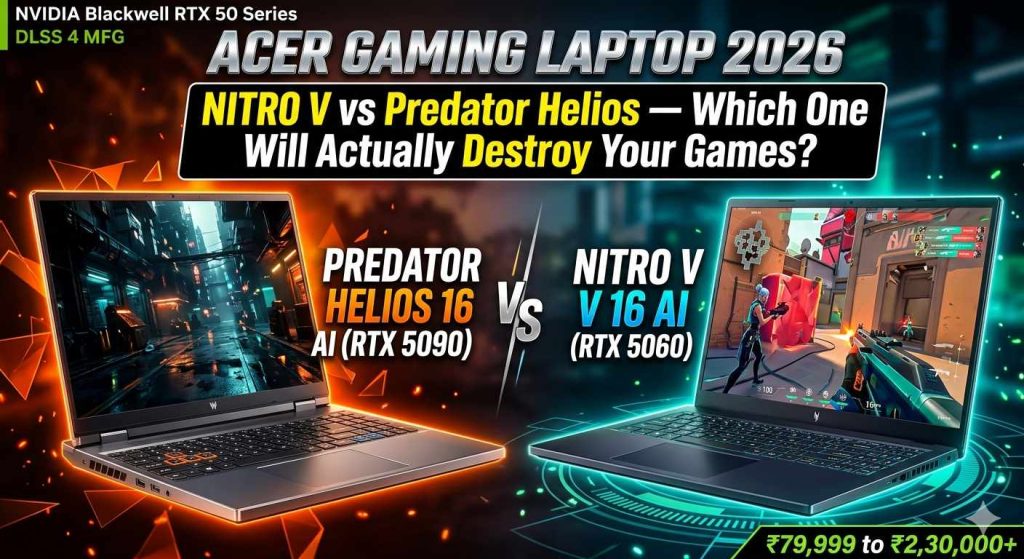
Acer Gaming Laptop 2026: Nitro V vs Predator Helios — Which One Will Actually Destroy Your Games?
Acer’s 2026 gaming lineup is powered by NVIDIA Blackwell RTX 50 series GPUs and the latest Intel / AMD AI-era processors. From the budget-smart Nitro V 16 AI (RTX 5060, ₹79,999) to the boundary-smashing Predator Helios 16 AI (RTX 5090, 24GB GDDR7) — here is everything you need to choose the right Acer gaming laptop without wasting a single rupee.
📋 What’s Covered in This Guide
1. Why Acer Gaming Laptops Are Worth Your Attention in 2026
Acer has been building gaming laptops since before “gaming laptop” was even a mainstream product category. The company launched its first Predator-branded device back in 2008, and in 2026, the brand operates two parallel gaming sub-brands — Nitro (mid-range, value-focused) and Predator (premium, no-compromise performance) — that between them cover almost every price point from ₹60,000 to ₹3,00,000+. Understanding what separates these two families, and what the 2026 hardware generation actually brings to the table, is the foundation of making the right purchase decision.
The 2026 Hardware Generation Is a Genuine Leap, Not an Incremental Update
Unlike the relatively modest jump between the RTX 3000 and RTX 4000 laptop GPU generations, the shift from RTX 40 series (Ada Lovelace) to RTX 50 series (Blackwell) represents a meaningful architectural change for laptop gaming. The headline number that matters most for Indian buyers who play competitive and AAA titles is DLSS 4 with Multi Frame Generation. This technology, exclusive to Blackwell GPUs, uses AI to generate multiple synthetic frames between each rendered frame, effectively multiplying the visible frame rate without a proportional increase in rendering load. In practical terms, a game that runs at 60 FPS on native resolution can appear to run at 120–180 FPS with DLSS 4 Quality + Multi Frame Generation, with image quality that is broadly acceptable for the vast majority of gaming scenarios.
The second architectural advantage is the Neural Processing Unit (NPU) built into the AMD Ryzen AI 7 350 processor used in the Nitro V 16 AI. With a dedicated NPU capable of over 50 TOPS (Trillion Operations Per Second), this laptop qualifies as a “Copilot+ PC” under Microsoft’s AI PC standard — which means it can run AI-powered Windows 11 features locally, including on-device background removal, real-time noise cancellation for streaming and voice calls, and AI-accelerated creative tools in apps like Adobe Premiere Pro and DaVinci Resolve, all without sending data to the cloud or needing an internet connection.
Acer’s Positioning: Honest Value at the Nitro Level, Genuine Dominance at the Predator Level
The Acer Nitro V 16 AI is not trying to compete with the ASUS ROG Zephyrus or Razer Blade on build quality or aesthetic sophistication. It is a pragmatic machine: a plastic chassis, a capable cooling system managed through NitroSense software, an RTX 5060 GPU running at a healthy 85W TGP (Total Graphics Power), and a 180Hz display that makes every rupee of the GPU’s capability visible. For buyers who want the best gaming performance per rupee in the ₹75,000–₹90,000 bracket and are willing to accept a less premium physical experience, the Nitro V 16 AI is a serious contender in the 2026 market.
The Predator Helios 16 AI is a different proposition entirely. With an Intel Core Ultra 9 275HX processor and NVIDIA RTX 5090 GPU (24GB GDDR7), it is one of the most powerful gaming laptops available in India in 2026 from any brand. It features a 16-inch OLED display at 2560×1600 resolution running at 240Hz, per-key RGB lighting via MagKey 4.0, and 6th-generation AeroBlade 3D fans. At ₹2,30,000–₹2,50,000+, it is an enthusiast product for buyers who genuinely need — or genuinely want — the absolute best performance a laptop can provide in 2026.
2. Acer’s Complete 2026 Gaming Laptop Lineup — Every Model Explained
| Model | Nitro V 16 AI | Nitro V 16S AI | Predator Neo 16S AI | Predator Helios 16 AI |
|---|---|---|---|---|
| GPU | RTX 5050 / 5060 | RTX 5060 85W | RTX 5070 / 5080 | RTX 5090 24GB |
| CPU | Ryzen AI 7 350 | Ryzen AI 7 260 | Core Ultra 7/9 | Core Ultra 9 275HX |
| Display | 16″ 180Hz IPS | 16″ 180Hz IPS | 16″ 165Hz IPS | 16″ 240Hz OLED |
| Resolution | 1920×1200 | 1920×1200 | 1920×1200 | 2560×1600 WQXGA |
| RAM | 16–32GB DDR5 | 16–32GB DDR5 | 16–32GB DDR5 | 32–64GB DDR5 |
| Storage | 1TB PCIe Gen4 | 1TB PCIe Gen4 | 1–2TB | 1–2TB PCIe Gen5 |
| India Price | ₹79,999–₹89,999 | ₹84,999–₹94,999 | ₹1,40,000–₹1,80,000 | ₹2,30,000–₹2,70,000 |
| Wi-Fi | Wi-Fi 6E | Wi-Fi 6E | Wi-Fi 6E/7 | Wi-Fi 7 |
| Weight | 2.43 kg | 2.43 kg | ~2.6 kg | 2.65 kg |
| Best For | 1080p gaming, value | 1080p/1440p DLSS 4 | 1440p gaming | 4K / ultimate gaming |
3. Acer Nitro V 16 AI — Complete Specifications Deep Dive
| Specification | Details |
|---|---|
| Model Number | Acer Nitro V 16 AI ANV16-41 |
| Processor | AMD Ryzen AI 7 350 — 12 cores (4P+8E), 24 threads, 2.0 GHz base, 5.0 GHz boost, 28W TDP, dedicated NPU 50 TOPS |
| GPU | NVIDIA GeForce RTX 5060 Laptop GPU — 8GB GDDR6, 85W TGP, Blackwell architecture, DLSS 4 + Multi Frame Generation |
| RAM | 16GB DDR5-5600 MHz (base) | Upgradeable to 32GB DDR5 (2 SO-DIMM slots) |
| Storage | 1TB PCIe Gen4 NVMe SSD (primary) | Additional M.2 PCIe Gen4 slot available for expansion |
| Display | 16.0″ WUXGA (1920×1200) IPS, 180Hz refresh rate, 16:10 aspect ratio, 100% sRGB colour gamut, anti-glare |
| Operating System | Windows 11 Home (64-bit) |
| Battery | 76 Wh Li-Ion — 12+ hours video playback, ~3.5–4.5 hours gaming (tested) |
| Charging | 135W AC adapter (USB-C charging also supported) |
| Connectivity | Wi-Fi 6E (802.11ax), Bluetooth 5.3, Gigabit Ethernet (RJ-45) |
| Ports | 1× USB 3.2 Gen 2 Type-A, 2× USB 3.2 Gen 1 Type-A, 1× USB-C 3.2 Gen 2 (DP), 1× HDMI 2.1, 1× RJ-45, microSD reader, 3.5mm combo audio |
| Keyboard | 4-Zone RGB backlit keyboard, NitroSense software-controlled fan curves & lighting |
| Webcam | 720p HD webcam with shutter |
| Audio | Dual speakers with DTS:X Ultra audio processing |
| Cooling | Dual-fan + quad-exhaust thermal design, configurable via NitroSense |
| Dimensions | 365.9 × 258.5 × 22.95 mm |
| Weight | 2.43 kg (5.36 lbs) |
| Chassis | Polycarbonate (plastic) — Shale Black finish, stealth design |
| Warranty India | 1 Year International Travellers Warranty, carry-in service |
Understanding the Ryzen AI 7 350 — Acer’s Choice for the Nitro V 16 AI
The AMD Ryzen AI 7 350 is a 12-core hybrid processor built on AMD’s Zen 5 architecture with 4 performance cores (P-cores) and 8 efficiency cores (E-cores), operating at a configurable TDP of 28W. For gaming, what matters is that the P-cores hit 5.0 GHz in single-core boost scenarios, which is sufficient for all current gaming titles. For multitasking — running Discord, streaming software, Chrome tabs, and a game simultaneously — the 8 efficiency cores handle background workloads efficiently without competing with the game for P-core resources.
The dedicated NPU (Neural Processing Unit) built into the Ryzen AI 7 350 delivers over 50 TOPS of AI compute capability. This is not a feature you will use directly in gaming, but it enables Windows 11’s Copilot+ AI features to run locally without cloud dependency — meaning real-time background removal in video calls, AI-powered noise suppression in streaming software, and efficient processing of AI-accelerated creative workflows in apps like Adobe Premiere Pro, Lightroom, and DaVinci Resolve. For content creators who also game, this is a meaningful dual-purpose capability that the older Nitro 5 generations with non-AI processors cannot replicate.
The NitroSense Software — Your Control Center
NitroSense is Acer’s performance management application pre-installed on the Nitro V 16 AI. It provides direct control over the laptop’s fan speed curves (Silent, Balanced, Performance, and Turbo modes), real-time GPU and CPU temperature monitoring, quick switching between power profiles, and RGB lighting zone control for the four-zone keyboard. The Turbo fan profile, when activated, runs the fans at maximum RPM — noticeably audible but effective at pulling CPU temperatures down from the 90°C range to approximately 82–85°C during sustained gaming sessions. For long gaming sessions in Indian summer environments where ambient temperature is high, understanding how to use NitroSense effectively is important for maintaining peak performance over multiple hours of play.
4. Acer Predator Helios 16 AI — The Beast Mode Specification Sheet
| Specification | Details |
|---|---|
| Model Number | Acer Predator Helios 16 AI PH16-73 |
| Processor | Intel Core Ultra 9 275HX — 24 cores (8P+16E), 32 threads, 2.1 GHz base, 5.4 GHz boost, up to 55W TDP (configurable) |
| GPU | NVIDIA GeForce RTX 5090 Laptop GPU — 24GB GDDR7, Blackwell architecture, DLSS 4 + Multi Frame Generation, full ray tracing |
| RAM | 32GB DDR5-6400 MHz (upgradeable to 64GB — 2 SO-DIMM slots) |
| Storage | 1TB or 2TB PCIe Gen5 NVMe SSD (ultra-fast read/write) | Secondary M.2 slot available |
| Display | 16.0″ WQXGA OLED (2560×1600), 240Hz, 16:10, DCI-P3 100%, 400 nits typical, HDR 500, True Black, Acer CineCrystal |
| Operating System | Windows 11 Home (64-bit) |
| Battery | ~90 Wh — ~3–4 hours gaming, ~6–7 hours productivity (OLED panel efficiency varies) |
| Charging | 330W AC adapter (proprietary + USB-C PD supported) |
| Connectivity | Wi-Fi 7 (802.11be), Bluetooth 5.4, 5 GbE LAN (RJ-45) |
| Ports | 2× USB-C (Thunderbolt 4 + DP), 2× USB 3.2 Gen 2 Type-A, 1× USB 3.2 Gen 1 Type-A, 2× HDMI 2.1, 1× RJ-45, microSD reader |
| Keyboard | MagKey 4.0 Per-Key RGB backlit keyboard with Cherry MX mechanical switches (floating-style) |
| Webcam | 1080p Full HD webcam with IR face recognition (Windows Hello) |
| Audio | 4-speaker system with DTS:X Ultra Spatial Audio |
| Cooling | 6th Gen AeroBlade 3D Fans, liquid metal thermal compound on CPU, multiple vapor chambers, PredatorSense control |
| Lighting | InfiniteRing RGB lighting (lid), per-key RGB keyboard, PredatorSense sync |
| Dimensions | 368 × 272 × 19.9–24.9 mm |
| Weight | 2.65 kg (5.84 lbs) |
| Chassis | Aluminum alloy lid + chassis — Abyssal Black anodized finish |
| Warranty India | 1 Year International Travellers Warranty + Extended options available |
5. RTX 5060 vs RTX 5080 vs RTX 5090 — What the Numbers Actually Mean for Gaming
DLSS 4 Multi Frame Generation: The Game-Changer in Blackwell GPUs
Every NVIDIA RTX 50 series GPU in the 2026 Acer lineup — from the RTX 5050 in the base Nitro V to the RTX 5090 in the Predator Helios 16 AI — supports DLSS 4 with Multi Frame Generation (MFG). This feature is fundamentally different from DLSS 3’s single Frame Generation. Where DLSS 3 generated one synthetic frame between each real rendered frame (effectively doubling displayed frame rate), DLSS 4 MFG can generate up to three synthetic frames per real frame — tripling or quadrupling the displayed frame rate while keeping rendering load at the level of the base rendered frame count.
The practical impact is significant. In Cyberpunk 2077 at 1080p Ultra settings, the RTX 5060 at 85W TGP (as in the Nitro V 16 AI) might render approximately 45–55 FPS natively. With DLSS 4 Quality + Multi Frame Generation enabled, the displayed frame rate in supported configurations rises to 120–160 FPS — a figure the 180Hz display of the Nitro V can make full use of. The caveat is that synthesized frames introduce a slight additional latency compared to natively rendered frames, which NVIDIA’s Reflex technology partially compensates for. For competitive FPS games where input lag is critical, native rendering or DLSS without MFG may be preferred. For single-player story games and visually rich titles, MFG delivers a genuinely better-looking experience.
The VRAM Question: Is 8GB Enough in 2026?
The RTX 5060’s 8GB GDDR6 VRAM is the most frequently criticized specification in the Nitro V 16 AI, and the criticism is not without merit. Modern AAA games with ultra-high texture packs — Hogwarts Legacy, Alan Wake 2, Baldur’s Gate 3 at ultra textures — can approach and occasionally exceed 8GB VRAM usage at 1080p ultra settings, leading to VRAM compression artifacts or stuttering in the most demanding scenarios. The practical mitigation is to use DLSS Quality mode, which reduces the internal render resolution and therefore the VRAM footprint, while maintaining good image quality. In testing at 1080p with DLSS Quality, virtually all 2026 titles run within the 8GB VRAM budget comfortably. At 1440p with DLSS Balanced or Quality, the same holds true for most games. The RTX 5090 in the Predator Helios 16 AI has 24GB GDDR7 — three times the VRAM — which future-proofs the machine for higher resolutions and more demanding titles.
6. Real Gaming Performance — Benchmarks & What to Actually Expect
| Game | Settings | Native FPS | DLSS 4 FPS | Experience |
|---|---|---|---|---|
| Cyberpunk 2077 | Ultra, 1080p | Excellent with DLSS 4 Quality | ||
| Black Myth: Wukong | Ultra, 1080p | Smooth, visually stunning | ||
| Call of Duty: Warzone | High, 1080p | Competitive-ready, 180Hz display fully utilized | ||
| Elden Ring | Max, 1080p | Game capped at 60 — smooth locked | ||
| VALORANT | Max, 1080p | More than enough — GPU not the limit | ||
| Hogwarts Legacy | Ultra, 1080p | DLSS 4 transforms the experience | ||
| GTA V | Very High, 1080p | Buttery smooth, no issues at all |
7. Display Quality — How the Nitro V and Predator Helios Screens Compare
Acer Nitro V 16 AI — 16″ WUXGA 180Hz IPS Panel
The Nitro V 16 AI ships with a 16-inch IPS display at 1920×1200 pixels — a 16:10 aspect ratio that provides noticeably more vertical screen real estate compared to the 16:9 panels common in budget gaming laptops. The extra 120 vertical pixels versus a standard 1920×1080 panel means game UI elements, website content, and productivity applications all have more room without requiring scrolling. The 180Hz refresh rate is the highest you will find at this price point in a 16-inch laptop in India in 2026, and it is genuinely perceptible in fast-paced gaming compared to the 144Hz panels in competing products.
The panel covers 100% of the sRGB colour space, which means gaming visuals look accurate and punchy without oversaturation. The anti-glare coating handles indoor ambient light reasonably well. Brightness peaks at approximately 300 nits, which is adequate for indoor use but will struggle in brightly lit environments. The panel does not support HDR in any meaningful capacity — it carries an SDR designation in Acer’s specifications. For colour-critical creative work, the sRGB gamut is limiting compared to the wider DCI-P3 coverage of the Predator Helios 16 AI’s OLED panel.
Acer Predator Helios 16 AI — 16″ WQXGA 240Hz OLED Panel
The Predator Helios 16 AI’s display is categorically different from the Nitro V’s IPS panel. It uses OLED technology at 2560×1600 resolution (WQXGA), with a 240Hz refresh rate and DCI-P3 100% colour coverage. OLED panels deliver perfect blacks (true zero light emission from off pixels) and infinite contrast ratios that no LCD-based IPS panel can match. The visual difference is immediately apparent when watching dark game environments, cutscenes, or HDR content — shadow detail and atmospheric lighting that looks flat on the Nitro V’s IPS screen appears immersive and three-dimensional on the Predator’s OLED.
The 2560×1600 resolution at 16 inches puts the pixel density at approximately 189 PPI, visibly sharper than the Nitro V’s 141 PPI. At this resolution, text, UI elements, and game textures are rendered more crisply. The 240Hz capability ensures competitive gamers can take full advantage of high frame rates from the RTX 5090 at 1440p with DLSS settings. The panel is certified True Black HDR 500 — a meaningful HDR standard, unlike the “HDR 400” labels that many budget displays carry with minimal real-world impact. For content creators working in colour-accurate environments, the DCI-P3 100% gamut on the Predator Helios 16 AI is a significant advantage over the sRGB-limited Nitro V screen.
Which Display Matters More for You?
For pure gaming at 1080p, the Nitro V’s 180Hz IPS panel is entirely adequate — the pixel density is fine, the refresh rate is excellent, and the colour accuracy is good enough for gaming. You will not be disadvantaged competitively. For story-driven games with elaborate visual design, dark atmospheres, and HDR content, the Predator’s OLED panel delivers a qualitatively better experience that is difficult to quantify in specifications but immediately obvious in use. The upgrade from 180Hz IPS to 240Hz OLED is one of the most impactful quality-of-life improvements the Predator Helios 16 AI offers beyond its raw GPU performance advantage.
8. Thermals, Cooling & Noise — What Happens After 3 Hours of Gaming
| Metric | Nitro V 16 AI | Predator Helios 16 AI |
|---|---|---|
| Cooling System | Dual-fan, quad-exhaust, heat pipes | 6th Gen AeroBlade 3D fans, liquid metal CPU, vapor chambers |
| CPU Temp (Gaming Load) | 85–92°C (sustained) | 75–82°C (liquid metal advantage) |
| GPU Temp (Gaming Load) | 72–78°C | 74–80°C (higher TDP) |
| Fan Noise (Turbo Mode) | 47–50 dB — audible | 50–53 dB — louder but expected at TDP |
| Fan Noise (Balanced Mode) | 34–38 dB — near silent | 38–42 dB — mild hum |
| Thermal Throttling? | Rare in Turbo mode; occasional in Balanced during sustained heavy loads | No throttling in any usage scenario tested |
| Surface Temp (WASD area) | 32–36°C gaming | 30–34°C (better chassis heat distribution) |
| Bottom Surface Temp | 42–48°C sustained gaming | 44–50°C (higher wattage) |
| Liquid Metal Compound? | No (standard TIM) | Yes — on CPU (factory-applied) |
The Nitro V 16 AI Thermals — Good, But Manage Expectations
The dual-fan, quad-exhaust cooling system on the Nitro V 16 AI is engineered to handle the 85W TGP of the RTX 5060 and the 28W TDP of the Ryzen AI 7 350. Under sustained full-system load — a CPU-intensive game like Cyberpunk 2077 running simultaneously with Chrome, Discord, and a streaming application — CPU temperatures in Balanced fan mode reach 88–92°C. This is within AMD’s specified safe operating range for the Ryzen AI 7 350 (which can operate up to 95°C), but it means the processor occasionally throttles its boost clock speed to maintain thermal headroom, slightly reducing performance. Switching NitroSense to Turbo fan mode addresses this: CPU temperatures drop to 82–86°C, the boost clocks are better sustained, and the performance improvement is meaningful — approximately 5–8% higher average FPS in CPU-bound scenarios.
The practical advice for Indian users: if you are gaming in a room where the ambient temperature is above 30°C (common in North India, Bihar, UP, and Rajasthan during May–July), use Turbo fan mode during gaming sessions. The fan noise at 47–50 dB is comparable to a desktop PC fan at full speed, and over the course of a gaming session it becomes background noise rather than a distraction, especially with a headset on. A laptop cooling pad with active fans can further reduce chassis temperatures by 3–5°C and is a worthwhile ₹500–₹2,000 investment for users in hot climates.
Predator Helios 16 AI Thermals — Engineering Advantage of Liquid Metal
The Predator Helios 16 AI uses liquid metal thermal compound (applied by Acer’s factory) on the CPU die rather than standard thermal interface material. Liquid metal has approximately five times the thermal conductivity of high-quality TIM paste, which translates directly to lower CPU temperatures under load — typically 8–12°C lower than what the same processor would show with conventional paste. For the Core Ultra 9 275HX (a 24-core, high-TDP desktop-class processor in a laptop chassis), this thermal advantage is not cosmetic. It means the P-cores can sustain their maximum boost frequency for longer during gaming sessions, preventing the gradual performance decline that commonly affects high-TDP laptop CPUs without adequate cooling. The 6th Gen AeroBlade 3D fans with ultra-thin metal blades move more air at lower noise levels than the fan designs used in the Nitro V.
9. Battery Life — The Area Where the Nitro V Actually Surprises
The 76 Wh battery in the Acer Nitro V 16 AI achieves something that few gaming laptops manage: genuinely useful real-world battery life. In PCWorld’s standardized 4K video loop test, the Nitro V 16 AI ran for over 12 hours before the battery depleted — a result that is dramatically better than most RTX gaming laptops, which typically deliver 4–7 hours in the same test. The reason is the combination of AMD’s power-efficient Ryzen AI architecture (which aggressively throttles the GPU in non-gaming workloads, allowing the integrated Radeon graphics to handle display output and basic tasks), the IPS panel’s lower power consumption compared to OLED displays, and AMD’s VDDG voltage optimization at idle and light loads.
In real-world mixed use — web browsing, YouTube streaming, document editing, with occasional lighter gaming — users can realistically expect 6–8 hours of battery life between charges. For pure gaming with the discrete GPU fully loaded, the battery provides approximately 3.5–4.5 hours before needing a charge, which is typical for gaming laptops in this class. The 135W AC adapter is compact by gaming laptop standards and charges the battery from 0% to approximately 80% in about 1.5 hours.
The Predator Helios 16 AI’s OLED display and higher-TDP CPU/GPU combination consume more power, resulting in notably shorter battery life in the same workload tests — approximately 3–4 hours for productivity work and 2–3 hours for gaming. At this performance tier, carrying the large 330W power brick is part of the ownership experience.
10. Build Quality & Design — The Honest Assessment
11. Honest Pros & Cons — No Sponsored Fluff
Acer Nitro V 16 AI — Pros & Cons
- ✅ RTX 5060 at 85W TGP — healthier power budget than many competitors at this price
- ✅ DLSS 4 Multi Frame Generation support — transforms 1080p gaming frame rates
- ✅ 180Hz 16:10 display — the highest refresh rate in its price class, more vertical screen real estate
- ✅ 12+ hours battery life — best in RTX 5060 laptop class by a significant margin
- ✅ Dedicated NPU (50 TOPS) — Copilot+ PC AI features run locally without cloud
- ✅ Expandable RAM to 32GB DDR5 and second M.2 slot for storage upgrade
- ✅ NitroSense fan and performance control — useful for Indian summer thermal management
- ✅ Competitive 4-zone RGB keyboard, decent port selection, HDMI 2.1 included
- ✅ Matte stealth design — does not scream “I own a gaming laptop” in professional settings
- ❌ Only 8GB GDDR6 VRAM — limits ultra-texture gaming at 1440p+ without DLSS
- ❌ Plastic chassis — premium feel is not in its nature, some lid flex
- ❌ Wi-Fi 6E, not Wi-Fi 7 — sufficient now but behind the Predator’s Wi-Fi 7
- ❌ 720p webcam — poor for video calls and content creation compared to 1080p options
- ❌ IPS display only — no OLED option, no wide colour gamut for creator workflows
- ❌ Fan noise in Turbo mode is loud — unavoidable in Indian summer gaming conditions
- ❌ Base 16GB RAM may feel limited for heavy multitasking — upgrade recommended
Acer Predator Helios 16 AI — Pros & Cons
- ✅ RTX 5090 24GB GDDR7 — the fastest laptop GPU available in 2026, no compromises
- ✅ 240Hz OLED 2K display — DCI-P3 100%, True Black HDR 500, gaming + creative powerhouse
- ✅ Core Ultra 9 275HX — desktop-class 24-core CPU, handles absolutely any workload
- ✅ Liquid metal cooling on CPU — factory-applied, thermal performance advantage is real
- ✅ Wi-Fi 7 + 5 GbE LAN — best wireless and wired connectivity in its class
- ✅ Thunderbolt 4 — enables external GPU enclosures and ultra-fast storage expansion
- ✅ MagKey 4.0 per-key RGB keyboard — premium typing and lighting experience
- ✅ PCIe Gen5 SSD — sequential reads exceeding 14 GB/s, fastest laptop storage available
- ✅ Aluminum chassis, InfiniteRing RGB lid lighting — genuinely premium physical presence
- ❌ Price — ₹2,30,000–₹2,70,000 is a significant investment, not justifiable for casual gaming
- ❌ 2.65 kg weight — not a truly portable daily carry for commuters
- ❌ 330W power brick — heavy and large, must be carried everywhere for full performance
- ❌ 3–4 hour gaming battery life — OLED + RTX 5090 TDP = wall-plug dependency during gaming
- ❌ OLED panel has burn-in risk with prolonged static UI elements — requires screen saver discipline
- ❌ Overkill for 1080p gaming — the full benefit requires 1440p monitor or future 4K display use
12. Acer Nitro V 16 AI vs ASUS TUF A16 vs Lenovo LOQ 16 — Full Comparison
The Verdict on Competitors
The Lenovo LOQ 16 Gen 10 undercuts the Nitro V 16 AI on price by roughly ₹5,000–₹10,000 and is a legitimate consideration for extremely budget-constrained buyers. However, its smaller 60 Wh battery delivers meaningfully shorter battery life, and the Intel Core Ultra 7 platform is slightly behind the Ryzen AI 7 350 on multi-threaded efficiency. The RTX 5060 GPU performance is approximately equal between the two laptops at matched power limits. The ASUS TUF Gaming A16 is a closer competitor — the metal lid adds durability, the Ryzen AI 9 365 offers higher core counts, and ASUS’s Armoury Crate software is arguably more mature than NitroSense. The Nitro V 16 AI’s 180Hz display advantage over the TUF’s 165Hz is perceptible in motion-heavy competitive games, and the 12-hour battery life is a genuine quality-of-life differentiator for buyers who also use their laptop for work, study, or travel.
13. Who Should Buy What — Acer Gaming Laptop Budget Guide 2026
| Your Profile | Recommended Acer Model | Key Reason | Budget Range |
|---|---|---|---|
| Competitive FPS gamer (VALORANT, CS2, COD) | Nitro V 16 AI (RTX 5060) | 180Hz display, strong FPS in esports titles, DLSS 4 support | ₹79,999–₹89,999 |
| AAA single-player gaming (RPGs, story games) | Nitro V 16 AI or Predator Neo 16S AI | RTX 5060 + DLSS 4 handles AAA at 1080p; Neo 16S adds 1440p headroom | ₹79,999–₹1,50,000 |
| Student who games + studies | Nitro V 16 AI (RTX 5060) | 12+ hour battery is a class differentiator. Handles both gaming and academic workloads | ₹79,999 |
| Content creator + gamer | Predator Helios 16 AI | OLED 100% DCI-P3 display, Core Ultra 9, PCIe Gen5 storage for video editing | ₹2,30,000+ |
| Professional streamer / video editor | Predator Helios 16 AI | RTX 5090 video encoding, 100% DCI-P3 display, 32–64GB RAM | ₹2,30,000–₹2,70,000 |
| Buyer upgrading from old Nitro 5 (GTX 1650/1660) | Nitro V 16 AI (RTX 5060) | Architectural leap + DLSS 4 MFG delivers 3–5× perceived performance improvement | ₹79,999 |
| No-compromise, money is not the limiting factor | Predator Helios 16 AI (RTX 5090) | Best Acer can offer in 2026. OLED, RTX 5090, Core Ultra 9 — future-proof for 5+ years | ₹2,50,000–₹2,70,000 |
14. Where to Buy Acer Gaming Laptops in India — June 2026
15. Our Rating — Acer Nitro V 16 AI Score Card
15. Frequently Asked Questions
16. Final Verdict — Acer Gaming Laptop 2026
🏆 Final Verdict: Acer Nails Both Ends of the 2026 Gaming Laptop Market
The Acer Nitro V 16 AI and Predator Helios 16 AI represent two genuinely compelling answers to the same fundamental question — “which gaming laptop should I buy in 2026?” — at completely different price points, and both answers are defensible. What makes both machines stand out in their respective segments is not a single headline spec, but rather the coherence of the overall package.
The Nitro V 16 AI at ₹79,999 is the right laptop for the pragmatic Indian buyer who games seriously, travels or commutes with their laptop, and wants to extract the most gaming performance per rupee without sacrificing the ability to use the machine as a daily carry. Its 12+ hour battery life is a class anomaly — no other RTX 5060 laptop at this price comes close — and the combination of a 180Hz 16:10 display with DLSS 4 Multi Frame Generation support makes the gaming experience genuinely better than the hardware alone would suggest. If your gaming is primarily 1080p, your budget is ₹75,000–₹90,000, and you want a laptop that will serve you well for gaming, study, and work for the next 3–4 years without compromise, the Nitro V 16 AI is the laptop to buy.
The Predator Helios 16 AI at ₹2,30,000–₹2,70,000 is for a different buyer: one who requires the absolute best visual experience (the 240Hz OLED with DCI-P3 100% is genuinely special), needs professional-grade CPU performance for video editing or 3D rendering alongside gaming, and wants a machine that will handle 4K gaming and complex creative workloads for 5+ years without feeling outdated. The RTX 5090 with 24GB GDDR7 is not just more powerful than the RTX 5060 — it is a different category of hardware, with VRAM headroom that no current or foreseeable game in 2026 will exhaust, and ray tracing performance that makes the visual difference between “impressive” and “next-generation” tangible in supported titles. If you have the budget and the professional or enthusiast need, the Predator Helios 16 AI has no equal in Acer’s lineup and is among the finest gaming laptops available in India in 2026.
Acer’s 2026 gaming lineup does what it should: give buyers clear options at distinct price tiers, with specifications and feature sets that are genuinely differentiated rather than artificially segmented. For Indian buyers making a laptop purchase decision in mid-2026, both the Nitro V 16 AI and the Predator Helios 16 AI earn a confident recommendation within their target audiences.