Home › Laptop Reviews › Acer Aspire 14 Core 5 210H
💻 Student Laptop — India 2026
Acer Aspire 14 — Intel Core 5 210H Complete Information
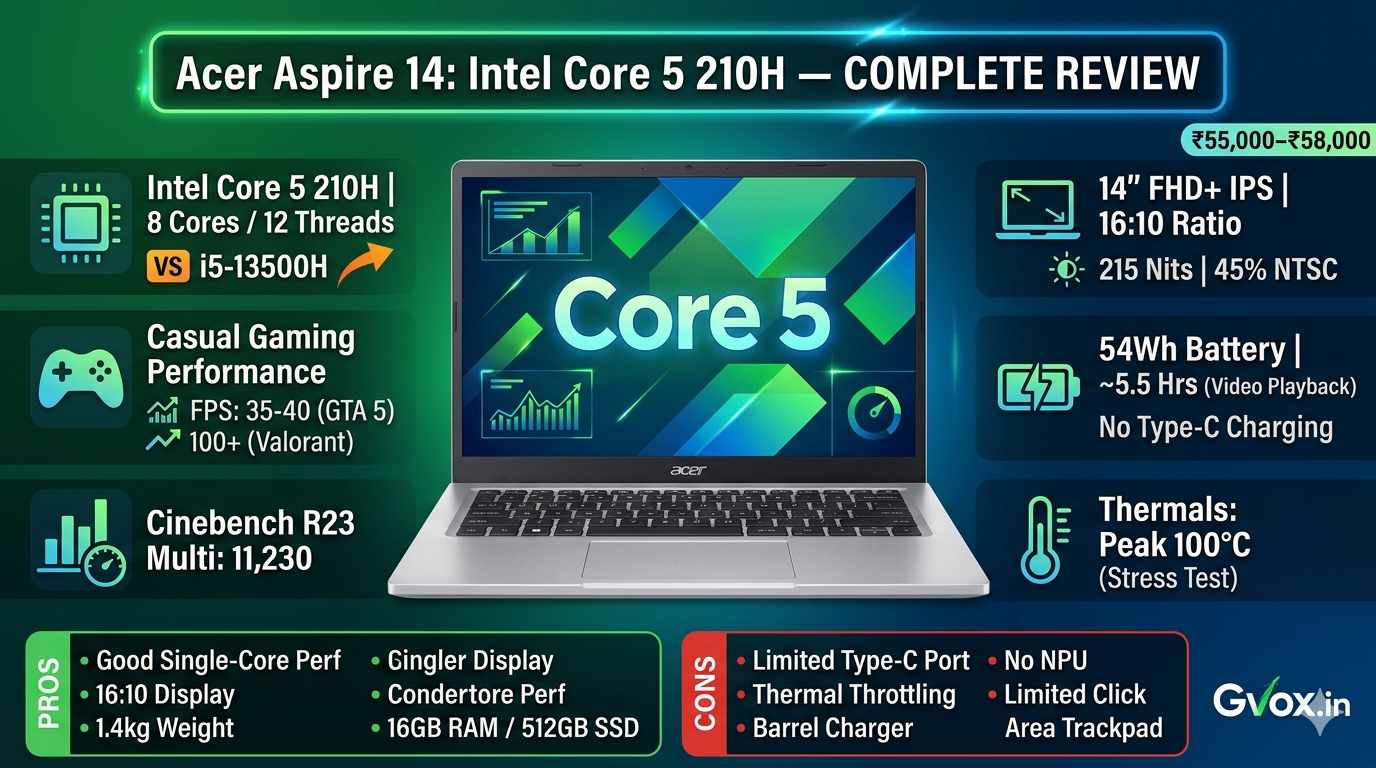
Full specifications, benchmark scores, gaming FPS, thermals, battery, display, ports — and an honest comparison of Core 5 210H vs i5-13500H. Everything in depth, in table format.
16GB LPDDR5
512GB Gen4 SSD
14″ FHD+ IPS
54Wh Battery
1.438 kg
₹55,000–₹58,000
No NPU
In This Article
1. Processor — Core 5 210H Details
2. Complete Specifications
3. Benchmark Scores
4. Gaming Performance
5. Thermals & Stress Test
6. Display Details
7. Build & Design
8. Ports & Connectivity
9. Battery Life
10. Real-world Productivity Tasks
11. Core 5 210H vs i5-13500H
12. Price & Variants
13. Pros & Cons
14. FAQ
01. Intel Core 5 210H — Processor Details
🔲 Intel Core 5 210H — What You Need to Know
| Processor Name | Intel Core 5 210H |
|---|---|
| Generation / Series | Intel Core Series 2 (rebranded from 14th Gen Intel) — NOT a new architecture |
| Architecture | Raptor Lake — same as Intel 13th Gen Same as 13th Gen |
| Total Cores | 8 Cores — 4 Performance Cores (P-Cores) + 4 Efficient Cores (E-Cores) |
| Total Threads | 12 Threads |
| vs i5-13500H Cores | i5-13500H has 12 cores (4P + 8E) — 4 more E-Cores than Core 5 210H |
| L3 Cache | Core 5 210H has 6MB less L3 cache than i5-13500H |
| Naming Change | Intel stopped using “i5 14th Gen” branding — renamed to Core 3 / Core 5 / Core 7 |
| NPU (AI Engine) | Not Present No NPU — NPU only available in Intel Core Ultra Series |
| Integrated GPU | Intel Graphics — same as Intel UHD, similar to 13th Gen iGPU |
| Base TDP | 45 Watts (H-class processor) |
| Claimed Max TDP | Up to 115 Watts (brand claim) |
| Actual Max TDP (tested) | 53 Watts Well below claim |
| Average Sustained TDP | ~37 Watts |
| Wi-Fi | Wi-Fi 6 |
| Bluetooth | 5.1 |
⚠️
Important clarification: The Intel Core 5 210H is not a completely new architecture. It is Raptor Lake — the same as 13th Gen. Only the branding has changed, not the architecture. NPU is only available in Core Ultra processors — this is an important missing feature in this laptop in 2026.
02. Complete Specifications
⚙️ Acer Aspire 14 Core 5 210H — Full Spec Table
| Model | Acer Aspire 14 (2026) |
|---|---|
| Processor | Intel Core 5 210H — 8 Cores, 12 Threads, Raptor Lake |
| RAM | 16GB LPDDR5 @ 4800 MT/s — Soldered (non-upgradable) Soldered |
| Storage | 512GB Gen 4 NVMe SSD — good read/write as per Gen 4 |
| SSD Slots | 2 slots — upgradable up to 1TB Upgradable |
| GPU | Intel Integrated Graphics (same as Intel UHD — no dedicated GPU) |
| Display | 14-inch FHD+ IPS, Anti-Glare, 1920×1200, 16:10 ratio |
| Refresh Rate | 60Hz |
| Peak Brightness | 215 nits Average |
| Color Gamut | 45% NTSC Limited |
| Battery | 54Wh |
| Adapter | 90W — Barrel connector No Type-C charging |
| Weight | 1.438 kg |
| Form Factor | 14-inch Thin & Light |
| Build Material | PC ABS Plastic — lid, palm rest, bottom panel |
| Color | Silver |
| Lid Opening | Up to 170 degrees |
| One-hand Open | Almost yes |
| Keyboard | Soft feedback, low key travel, smooth typing, 2-level backlit (Fn+F10) |
| Copilot Key | Yes — dedicated button |
| Trackpad | Decent size but only bottom portion clickable Limited Click Area |
| Fingerprint Reader | Not present Missing |
| Webcam | HD webcam + Dual integrated noise cancellation mic + Privacy shutter |
| Speakers | 2×2 bottom-firing — decent quality |
| Cooling | Dual fan module |
| Wi-Fi | Wi-Fi 6 |
| Bluetooth | 5.1 |
| Included Software | MS Office Home & Student 2024 — Lifetime License Included |
| OS | Windows 11 |
| LED Indicators | 3 — Power, Caps Lock, Num Lock |
| microSD Slot | Yes — up to 512GB–1TB Present |
03. Benchmark Scores
📊 All Benchmark Results — Core 5 210H
| Benchmark | Core 5 210H Score | i5-13500H Score (ref.) | Winner |
|---|---|---|---|
| Cinebench R23 — Single Core | 1,309 | 1,765 | i5-13500H |
| Cinebench R23 — Multi Core | 11,230 | 11,130 | Core 5 210H (slight) |
| Cinebench 2026 — Single Core | 106 | — | — |
| Cinebench 2026 — Multi Core | 559 | — | — |
| Geekbench 6 — Single Core | 1,981 | — | — |
| Geekbench 6 — Multi Core | 7,140 | Higher | i5-13500H |
| Geekbench 6 — OpenCL (GPU) | 9,675 | 12,680 | i5-13500H (clearly) |
| 3DMark Time Spy | 1,076 | — | — |
| PCMark 10 — Overall | 6,206 | — | Good score |
| CrossMark — Overall | 1,532 | — | Decent |
ℹ️
In Cinebench R23 Multi-Core, the Core 5 210H scored 11,230 — in the MotoBook 6T (same processor) it scored 9,400. This means Acer has configured the processor TDP better in this laptop. In single-core performance, the i5-13500H is clearly ahead due to extra E-Cores and L3 cache. GPU performance is also considerably better in the i5-13500H (12,680 vs 9,675 OpenCL).
04. Gaming Performance
🎮 Gaming Benchmarks — FPS, Temperature, TDP
| Game | Resolution & Settings | FPS | CPU Temp | TDP Used | CPU+GPU Load |
|---|---|---|---|---|---|
| GTA 5 | 1080p — Normal Settings | 35–40 FPS | 95–96°C | ~46W | 99-100% |
| Valorant | 1080p — Normal Settings | ~100 FPS | ~80°C | ~35W | Moderate |
| CS2 | 1080p — Low Settings | 40–45 FPS | ~91°C | Higher | High |
⚠️
Gaming temperature concern: Reaching 95-96°C in GTA V is high for a thin & light laptop. The ideal range should be 70-80°C. There is a dual fan module, but thermal management could have been better with this H-class processor. Because of the 60Hz display, getting 100+ FPS is of no use — Valorant gives 100 FPS but the display will cap it at 60Hz.
ℹ️
Valorant is a CPU-intensive game — which is why performance looks better here and temperatures are also under control. GTA V and CS2 both use CPU and GPU heavily — there temperatures go higher and performance is relatively lower.
05. Thermals & Stress Test Results
🌡️ Prime95 Stress Test Results
| Test Tool | Prime95 (CPU 100% load) |
|---|---|
| Processor Base TDP | 45W (H-class) |
| Brand Claimed Max TDP | Up to 115W |
| Actual Max TDP (tested) | 53W Far below 115W claim |
| Average Sustained TDP | ~37W (minimum assert power) |
| Peak CPU Temperature | 100°C Very High |
| Average CPU Temperature | ~83°C |
| Cooling System | Dual Fan Module |
| Expected for Thin & Light | 70–80°C (this laptop exceeds that) |
🔥
Thermal concern: Reaching a peak of 100°C even with a maximum TDP of 53W — with a dual fan — is a clear thermal management issue. This happens because an H-class processor is squeezed into a thin & light chassis. During continuous heavy work (gaming, video editing, compilation), you can expect to see these temperatures regularly.
06. Display Details
🖥️ 14-inch FHD+ IPS Display — Full Specifications
| Size | 14-inch |
|---|---|
| Panel Type | IPS (In-Plane Switching) |
| Resolution | FHD+ (1920×1200) |
| Aspect Ratio | 16:10 — Better for productivity vs 16:9 Good Choice |
| Refresh Rate | 60Hz |
| Peak Brightness | 215 nits Average — dim in bright sunlight |
| Color Gamut | 45% NTSC Limited — not for color-accurate work |
| Anti-Glare Coating | Yes Comfortable viewing |
| Color Accuracy | Good — IPS panel, no color shift at any angle |
| Viewing Angles | Excellent — IPS advantage, consistent from all angles |
| Touch | No |
| Best For | Coding, document work, day-to-day use, basic editing |
| Not Best For | Color grading, professional photography, outdoor use |
💡
The 16:10 aspect ratio is better than standard 16:9 for productivity — you get more vertical screen space. Document, code, and web content all fit better. Acer’s choice is genuinely useful for students.
07. Build Quality & Design
🔨 Build & Design Details
| Body Material | PC ABS Plastic — lid, palm rest, bottom panel Not Metal |
|---|---|
| Color | Silver |
| Weight | 1.438 kg |
| Weight Distribution | Good — comfortable to carry |
| Lid Flex | Some flex — PCB plastic material Noticeable |
| Keyboard Flex | Some flex — similar to lid |
| Screen Wobble | Some wobble visible — hinge not fully rigid |
| Hinge Max Angle | 170 degrees | One-hand Lid Open | Almost — slightly clipped when closing from 170° to 90° |
| Hinge Quality | Decent — holds lid at all angles, no jerk |
| Stickers on Back Panel | Multiple Intel + other brand stickers — can be removed |
| Grill Vents (keyboard area) | Decorative only — not functional speakers (cross-verified by opening) |
| Air Intake | Bottom panel vents |
| Air Exhaust | Just below display — above keyboard |
| Keyboard | Soft feedback, less key travel, smooth typing, 2-level backlit |
| Trackpad | Good size — only bottom portion clickable, center/top does not click Limitation |
| Multi-gesture Support | Yes — all standard Windows gestures work |
| Fingerprint Reader | Missing — not available Absent |
| Copilot Key | Yes — dedicated hardware button |
| LED Indicators | 3 — Power (top corner), Caps Lock, Num Lock |
| Webcam | HD (720p) — dual integrated noise cancellation mic + privacy shutter |
08. Ports & Connectivity
🔌 All Ports — Side by Side
| Left Side — Port 1 | Kensington Security Slot |
|---|---|
| Left Side — Port 2 | Power connector (barrel) — for charging No Type-C charging |
| Left Side — Port 3 | USB 3.2 Gen 1 Type-C — 5Gbps data only. No Power Delivery, No Display Output Data only |
| Left Side — Port 4 | HDMI — version not specified by brand Version unclear |
| Left Side — Port 5 | USB 3.2 Gen 1 Type-A — 5Gbps |
| Right Side — Port 1 | 3.5mm Audio Jack (headphone/mic combo) |
| Right Side — Port 2 | USB 3.2 Gen 1 Type-A — 5Gbps |
| Right Side — Port 3 | USB 3.2 Gen 1 Type-A — 5Gbps |
| Right Side — Port 4 | microSD Card Slot — up to 512GB–1TB Useful |
| Total USB-A Ports | 3 × USB 3.2 Gen 1 (5Gbps each) |
| Total USB-C Ports | 1 × USB 3.2 Gen 1 Type-C (data only) |
| Thunderbolt | Not present |
| Type-C Charging | Not supported Missing in 2026 |
| Display via USB-C | Not supported |
| Wireless | Wi-Fi 6, Bluetooth 5.1 |
⚠️
Not getting Type-C charging in 2026 is a notable miss. Coming with a 90W barrel connector charger — when competitors and even lower-priced laptops offer Type-C PD — is disappointingly dated.
09. Battery Life
🔋 Battery Performance
| Battery Capacity | 54Wh |
|---|---|
| Charging Adapter | 90W — Barrel connector |
| Charge Time | ~1–1.5 hours (0 to 100%) | Type-C Charging | Not supported No |
| Battery (4K YouTube) | ~5.5 hours Good | Battery Drain per Hour (4K) | ~17.6% |
| Battery (Heavy work — coding/editing) | 3–4 hours only |
| vs i5-13500H Variant | Core 5 210H variant better — i5-13500H gives only 3–4 hrs even on normal playback Clear Win |
💡
Battery backup is the biggest practical advantage of the Core 5 210H compared to the i5-13500H variant. If you are a student and want to use your laptop all day in a classroom or library without a charger — the Core 5 210H is the better choice.
10. Real-World Productivity Performance
💼 Task-by-Task Performance Assessment
| Task | Performance Level | Notes |
|---|---|---|
| Heavy Multitasking | Excellent Good | 15-20 browser tabs + multiple apps — no lag. The benefit of 16GB LPDDR5 RAM is clearly visible. |
| Video Editing (FHD) | Good Doable | Full HD editing easily. 1-2 layer FHD footages are fine. |
| Video Editing (4K) | Limited With conditions | Only 1-2 layers, normal bitrate. High bitrate footage = laggy experience. Dedicated GPU needed for smooth 4K. |
| Photoshop / Graphic Design | Good Fine | Good due to IPS panel. Most design tasks run well. |
| Coding — Basic (C++, Python, Java) | Excellent Perfect | All basic coding runs easily. |
| Coding — Android Studio / Emulator | Average Workable | Pixel 10 emulator not smooth. Intermediate level OK. For heavy development → ASUS ExpertBook P1 or Asus VivoBook 14. |
| Development Tasks | Not recommended Avoid | Heavy development needs better optimization. ExpertBook P1 suggested. |
| AutoCAD 2D | Good Fine | 2D AutoCAD works well. |
| AutoCAD 3D | Not recommended Avoid | 3D needs dedicated GPU — gaming laptop preferred. |
| MS Office | Excellent Perfect | MS Office Home & Student 2024 Lifetime included. |
| Online Classes / Meetings | Excellent Perfect | 720p webcam + noise cancel mic — good quality. |
11. Core 5 210H vs i5-13500H — Which to Buy?
⚖️ Acer Aspire 14 — Core 5 210H vs i5-13500H Comparison
| Parameter | Core 5 210H | i5-13500H |
|---|---|---|
| 8 (4P + 4E) | 12 (4P + 8E) — 4 more E-cores | |
| Less | 6MB more | |
| 1,309 | 1,765 — clearly better | |
| 11,230 — slight win | 11,130 | |
| Lower | Higher — better | |
| 9,675 | 12,680 — clear win | |
| Lower | Clearly better | |
| None (both) | None (both) | |
| Raptor Lake | Raptor Lake (same) | |
| ~5.5 hours — better | 3–4 hours only | |
| 3–4 hours | Less than 3 hours | |
| ~₹58,000 | ~₹53,000 — cheaper | |
| ~₹55,000 | ~₹48,000–₹49,000 | |
| ₹40,000–₹43,000 | ₹40,000–₹45,000 | |
| Battery-first users | Performance-first users | |
| If battery is priority | Yes — better overall value |
⚠️
Clear recommendation: If the price difference is not high, go for the i5-13500H variant — performance is clearly better (CPU single-core, GPU, more cores). Choose the Core 5 210H only if battery backup is your primary concern and you are not doing heavy work. During sale events, both come at similar prices — then the i5-13500H is clearly the better deal.
12. Price & Variant Details
💰 Acer Aspire 14 — All Price Points
| Core 5 210H — MRP | ~₹58,000 |
|---|---|
| Core 5 210H — With card discount | ~₹55,000 Recommended price |
| Core 5 210H — Big Billion Days sale | ₹40,000–₹43,000 Best time to buy |
| i5-13500H variant — MRP | ~₹53,000 |
| i5-13500H — With card discount | ~₹48,000–₹49,000 |
| i5-13500H — Big Billion Days sale | ₹40,000–₹45,000 |
| Alternatives at ₹55K range | MotoBook 60, ASUS ExpertBook P1, Asus VivoBook 14 |
💡
Watch for sales: This laptop comes down to ₹40,000–₹43,000 during Big Billion Days and similar sale events — at that price, it becomes a clear value-for-money recommendation. At the MRP of ₹58,000, alternatives (MotoBook 60, ExpertBook P1) are similarly priced and offer better thermals.
13. Pros & Cons
✅❌ Acer Aspire 14 Core 5 210H — Honest Assessment
✅ Pros
- ✅16GB LPDDR5 RAM — good multitasking even with 15-20 tabs + apps
- ✅512GB Gen 4 SSD — fast read/write, 2 SSD slots for upgrade
- ✅14″ FHD+ IPS 16:10 — good colours, no color shift, anti-glare
- ✅5.5 hours battery (4K YouTube) — better than i5-13500H variant
- ✅Lightweight — 1.438 kg, good weight distribution
- ✅3× USB-A + 1× USB-C + microSD + HDMI — good port variety
- ✅microSD card slot — easy storage expansion
- ✅Privacy shutter on webcam — good for privacy
- ✅MS Office Home & Student 2024 — Lifetime license included
- ✅Valorant at ~100 FPS — casual gaming possible
- ✅Good benchmark scores given processor configuration
❌ Cons
- ❌Trackpad — only bottom portion clickable. Center & top do not click at all
- ❌Thermals — 95-96°C in gaming, 100°C peak in stress test — too high for thin & light
- ❌No Type-C charging — 90W barrel connector in 2026 is disappointing
- ❌No fingerprint reader — missing entirely
- ❌60Hz display — gaming potential limited; 100 FPS wasted at 60Hz
- ❌RAM soldered — cannot upgrade beyond 16GB
- ❌215 nits brightness — dim in bright sunlight / outdoor use
- ❌45% NTSC color gamut — not for professional color work
- ❌USB-C data only — no power delivery, no display output via USB-C
- ❌HDMI version not specified by Acer
- ❌PC ABS plastic build — lid & keyboard flex visible
- ❌No NPU — AI-accelerated features (Copilot+) not available
Related Articles on Gvox.in
14. Frequently Asked Questions
What is the price of the Acer Aspire 14 Core 5 210H in India? ▼
The MRP is approximately ₹58,000. After card discounts, it costs ~₹55,000. During sales like Big Billion Days, it has been available for ₹40,000–₹43,000. The i5-13500H variant has an MRP of ₹53,000 and after card discount is available for ₹48,000–₹49,000.
Core 5 210H or i5-13500H — which variant should you buy? ▼
For performance, the i5-13500H is clearly better — better single-core, better iGPU, more cores. For battery life, the Core 5 210H is better (5.5 hrs vs 3-4 hrs). The i5-13500H is also ₹4,000–₹5,000 cheaper. During sales, both come at similar prices — then the i5-13500H is clearly the better deal. Only buy the Core 5 210H if battery is your first priority.
Does the Acer Aspire 14 have an NPU? ▼
No. The Core 5 210H does not have an NPU. NPU is only available in Intel Core Ultra Series processors. The Core 5 210H uses the Raptor Lake architecture — same as 13th Gen — without an NPU.
How is it for gaming? ▼
It is decent for casual gaming — GTA 5 gives 35-40 FPS, Valorant gives 100 FPS, CS2 gives 40-45 FPS. However, thermals remain high (95-96°C during gaming). Because of the 60Hz display, high FPS is of no benefit. For heavy gaming or AAA titles, a gaming laptop with a dedicated GPU is better.
How long does the battery last? ▼
Approximately 5.5 hours for 4K YouTube playback (17.6% drain per hour). For heavy work (coding, editing), it gives 3-4 hours. Significantly better than the i5-13500H variant — where even normal use gives only 3-4 hours.
What are the main cons of this laptop? ▼
1. Trackpad — only the bottom is clickable, the center/top does not work. 2. Thermals — 95-96°C during gaming, 100°C during stress test — too high for a thin & light. 3. No Type-C charging — the barrel connector in 2026 is disappointing. 4. Fingerprint reader is absent. 5. 60Hz display — caps gaming FPS. 6. RAM is soldered — non-upgradable.