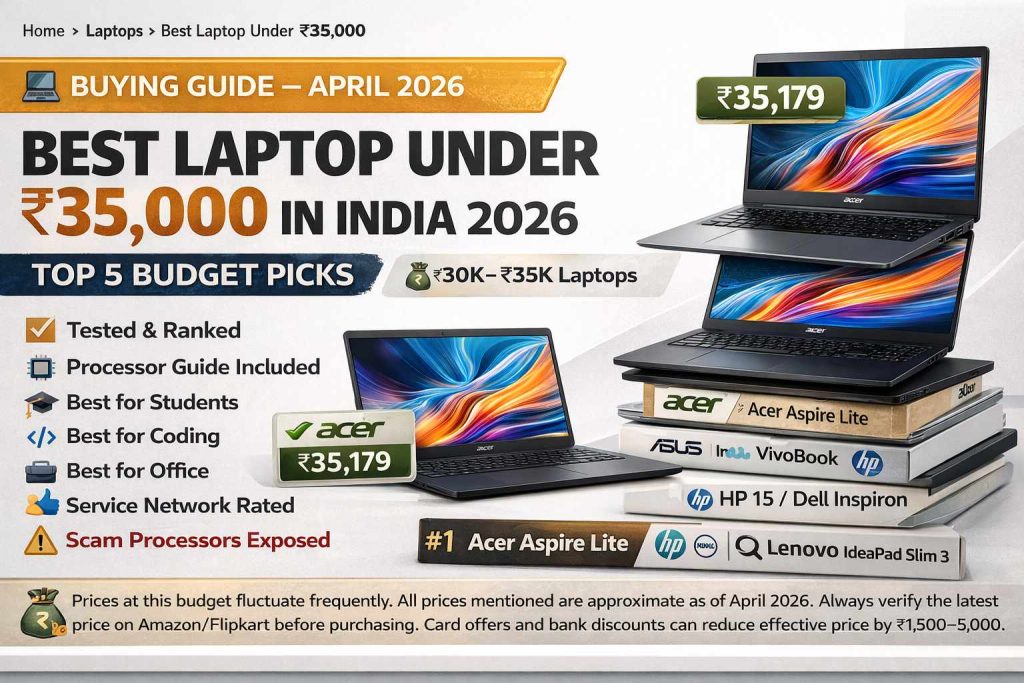
Best Laptop Under ₹35,000 in India 2026 — Top 5 Budget Picks
RAM and SSD prices have risen sharply in 2026, pushing many good laptops above ₹35,000. But five models still deliver excellent value at this budget — if you know which processor to choose and which traps to avoid. Students, coders, office users — this guide has you covered.
📋 Quick Summary — Best Laptops Under ₹35,000 (2026)
At ₹35,000, you are at the sweet spot where good processors, 8–16GB RAM, and 512GB SSD become accessible. The key is avoiding outdated or underpowered processors that brands are pushing at inflated prices. Below we break down every important consideration — processor hierarchy, display quality, after-sales service, and our top 5 picks with detailed specs.
📑 Table of Contents
01. Processor Guide — What to Buy & What to Avoid
🚨 Scam Alert — Processors to Absolutely Avoid at ₹35,000
Several brands are selling laptops at ₹30,000–₹35,000 with processors that used to be priced under ₹25,000 just 12 months ago. These are being pushed with marketing but deliver very poor real-world performance. Avoid these at any cost:
The biggest trap at ₹35,000 is the AMD Ryzen 3 7320U. Despite being marketed as a “new 7000 series” processor, it has only 1 performance core and ranks near the bottom of all current laptop processors. It performs worse than the much older Ryzen 5 5625U and even some Intel i3-12th gen chips. Brands package it in thin, stylish laptops that look modern but perform poorly.
The second trap is Intel Celeron N4500 — an extremely outdated processor that was appropriate for sub-₹20,000 Chromebook-class devices. It is now appearing in Windows 11 laptops priced at ₹30,000–₹32,000. Avoid completely. The third processor to skip is Intel i3-1305U, which despite being 13th gen, significantly underperforms the i3-1315U due to fewer efficiency cores.
✅ Safe Processors to Buy at ₹35,000 (2026 Rankings)
02. #1 Best Overall — Acer Aspire Lite (Ryzen 5 5625U)
The Acer Aspire Lite with Ryzen 5 5625U is the undisputed performance king under ₹35,000 in 2026. Despite the 5000-series Ryzen being a couple of years old, it remains the most powerful CPU you can get at this price — outperforming newer but weaker AMD 7320U and Intel i3 variants in every multi-threaded benchmark. Six cores, twelve threads — it handles multitasking, coding, light video editing, and even basic gaming far better than anything else in this category.
What makes it special is the pre-installed 16GB RAM — every other laptop at this price point gives you only 8GB. More RAM means you can run 20+ browser tabs, an IDE, and a media player simultaneously without a single lag. The metal-chassis build feels genuinely premium for a budget device, and the 180° hinge opens fully flat — useful for sharing screens or using it in different positions.
Who Should Buy This?
Engineering students, coders, and anyone doing light creative work. If you use Python, run VS Code or PyCharm, edit photos in Photoshop at basic levels, or handle multiple heavy browser sessions simultaneously — this is your laptop. The Ryzen 5 5625U comfortably runs GTA V at 30–40 FPS on low settings, making it the only true budget gaming option at this price.
03. #2 Best Intel — Asus VivoBook 15 (i3-1315U)
If you want an Intel processor for single-core responsiveness — web browsing, Office apps, and opening apps feel slightly snappier with Intel’s i3-1315U than AMD equivalents — the Asus VivoBook 15 is the best choice. It carries the 13th generation i3-1315U with 6 cores and 8 threads, which is a significant leap over the older i3-1305U and the common but weak i3-1215U.
The standout feature is the display. The 15.6-inch NanoEdge IPS panel offers 178° wide viewing angles — colours and brightness remain consistent from almost any angle, which is rare at this budget. Paired with a Gen4 NVMe SSD (faster read/write speeds than the Gen3 SSDs common at this price), boot times and app loading feel noticeably quick. The backlit keyboard — uncommon in laptops under ₹37,000 — makes it the best choice for students who work at night.
04. #3 Best Service & Reliability — HP 15 (Intel Core 300U)
HP has the largest and most reliable service network in India — from metro cities to smaller towns, finding an HP service centre is rarely difficult. This matters enormously if your laptop develops a hardware issue after purchase. The HP 15 with Intel Core 300U (14th generation) is HP’s answer to budget buyers who want a modern processor without compromising on brand reliability.
The Intel Core 300U is essentially Intel’s refined 14th generation i3 — it offers solid single-core performance, handles everyday tasks with ease, and consumes power efficiently for decent battery life. HP also includes a Full HD webcam with a privacy shutter — a thoughtful addition for students attending online classes or professionals on video calls. MS Office is pre-installed with lifetime validity, adding immediate practical value. The display is anti-glare but not IPS — colours and viewing angles are slightly inferior to the Asus VivoBook, but eye comfort is good for extended use.
05. #4 — Dell Inspiron 14 (Intel Core 300U)
Dell has significantly improved its budget laptop lineup, and the Inspiron 14 with Intel Core 300U is a compelling alternative to the HP 15. The key advantage over HP at the same price point is the display — the Inspiron 14 offers a Full HD+ IPS display, delivering better colour accuracy and viewing angles than HP’s anti-glare non-IPS panel. The Full HD+ resolution also means slightly more screen real estate, which is noticeable when working with code or spreadsheets.
The DDR5 RAM at this price bracket is a genuine plus — while the performance benefit over DDR4 is modest in daily use, it future-proofs the machine and improves memory bandwidth for integrated graphics performance. Dell’s after-sales service is reliable in metro and Tier-1 cities, though it lags behind HP’s wider reach in Tier-2 areas. Pricing is typically ₹37,000–₹41,000, but during sale events it frequently drops to ₹35,000 with card offers.
06. #5 — Lenovo IdeaPad Slim 3 (Ryzen 5 5500U)
The Lenovo IdeaPad Slim 3 with Ryzen 5 5500U stands out for one very specific reason — it comes with a 2-year standard warranty plus 1 year of accidental damage protection, which no other laptop at this price point offers. For students who are prone to accidental drops or spills, this warranty package alone can justify the purchase. Lenovo’s service network is also one of the widest in India, second only to HP.
The Ryzen 5 5500U is a 6-core, 12-thread processor that delivers excellent multitasking performance, though it slightly trails the 5625U variant. The IPS display with very thin bezels on all four sides makes the screen feel larger than its 15.6-inch size. Fast charging is a notable practical feature — 15 minutes of charging gives approximately 2 hours of usage, which is useful for students rushing between classes. The slimmer build and muted design language make it one of the more professional-looking budget laptops.
07. Full Comparison Table
| Feature | Acer Aspire Lite | Asus VivoBook 15 | HP 15 | Dell Inspiron 14 | Lenovo IdeaPad 3 |
|---|---|---|---|---|---|
| Processor | Ryzen 5 5625U | i3-1315U | Core 300U | Core 300U | Ryzen 5 5500U |
| Cores / Threads | 6C / 12T | 6C / 8T | 6C / 8T | 6C / 8T | 6C / 12T |
| RAM (Default) | 16GB DDR4 | 12GB DDR4 | 8GB DDR4 | 8GB DDR5 | 8GB DDR4 |
| RAM Expandable | Up to 32GB | Up to 24GB | Yes | Yes | Up to 16GB |
| Storage | 512GB Gen3 | 512GB Gen4 | 512GB | 512GB | 512GB |
| Display Type | FHD IPS | FHD NanoEdge IPS | FHD Anti-Glare | FHD+ IPS | FHD IPS |
| Screen Size | 15.6″ | 15.6″ | 15.6″ | 14″ | 15.6″ |
| Backlit Keyboard | No | Yes | No | No | No |
| Battery | 50Wh (~7 hrs) | 42Wh (~6 hrs) | 41Wh (~5 hrs) | 41Wh (~5 hrs) | 42Wh (~6 hrs) |
| Fast Charging | No | No | No | No | Yes (15 min = 2 hr) |
| Build Material | Metal Body | Plastic (Mil-Grade) | Plastic | Plastic | Plastic |
| Weight | 1.59 kg | 1.70 kg | 1.65 kg | 1.49 kg | 1.62 kg |
| Webcam Quality | 720p | 720p | FHD + Privacy Shutter | FHD | 720p |
| MS Office | No | Yes (Lifetime) | Yes (Lifetime) | Yes | Yes |
| Warranty | 1 Year | 1 Year | 1 Year | 1 Year | 2 Years + ADP |
| After-Sales Service | Average | Average-Good | Excellent | Good (Metro) | Excellent |
| Wi-Fi | Wi-Fi 6 | Wi-Fi 6 | Wi-Fi 6 | Wi-Fi 6 | Wi-Fi 6 |
| Approx. Price | ₹34–36K | ₹36–38K | ₹36–40K | ₹37–41K | ₹35–40K |
08. Which Laptop for Which Use Case?
🎓 For Students (General — Browsing, Assignments, Presentations)
Go with the HP 15 (Core 300U) or Lenovo IdeaPad Slim 3. Both offer reliable after-sales service, good battery life, and the pre-installed MS Office saves immediate cost. The Lenovo’s 2-year warranty with accidental damage protection is especially valuable for students who are rough on their devices. If you can afford a slight stretch to ₹36,000, add 8GB RAM via upgrade for the HP 15 to get 16GB total.
💻 For Coders and Programming Students
The Acer Aspire Lite (Ryzen 5 5625U) is the clear winner. Its 6-core 12-thread processor handles IDEs like VS Code, IntelliJ, PyCharm, and Android Studio far more comfortably than i3 alternatives. The 16GB pre-installed RAM means you can run a virtual machine, a local server, and a browser simultaneously. This is the only laptop under ₹35,000 that can realistically handle moderate software development workloads.
🏢 For Office and Work-from-Home
The HP 15 with FHD webcam and privacy shutter is purpose-built for this use case. Clear video calls, MS Office pre-installed, reliable service, and anti-glare display for long hours — it ticks all practical boxes. The Asus VivoBook 15’s backlit keyboard and IPS display also make it an excellent office companion, especially for those who work in varying light conditions.
✈️ For Frequent Travelers (Lightweight + Portable)
The Dell Inspiron 14 at 1.49 kg and 14-inch form factor is the most portable option in this list. For those who travel daily for college or work, the smaller footprint and lighter weight reduce daily fatigue significantly. The FHD+ IPS display makes it productive for content work on the go.
🎮 For Light Gaming
Only the Acer Aspire Lite (Ryzen 5 5625U) can be considered for light gaming. Its AMD Radeon Vega 7 integrated graphics with 6-core Ryzen 5 can push GTA V to 30–40 FPS on low settings, and older games like Valorant, CS:GO, and Minecraft run well. No other laptop in this budget comes close for gaming. Dedicated GPU laptops start at ₹55,000+.
09. Final Verdict — Our Recommendation
🏁 Final Verdict — Best Laptop Under ₹35,000 in 2026
The best laptop under ₹35,000 in India in 2026 is the Acer Aspire Lite with Ryzen 5 5625U. No other laptop at this price delivers 6 cores, 12 threads, 16GB RAM, a metal body, IPS display, and Wi-Fi 6 in one package. For performance-focused buyers — students, coders, multitaskers — it is unmatched. The only concern is Acer’s after-sales service, which may be weak in your city.
If service reliability matters more than raw performance, choose the HP 15 (Core 300U) — HP’s service network is the most reliable in India, the FHD webcam is excellent for online classes and meetings, and the Core 300U is a capable everyday processor. For Intel lovers who want the best display, the Asus VivoBook 15 (i3-1315U) with its backlit keyboard and NanoEdge IPS panel is a premium-feeling budget option.
Whatever you choose, remember the golden rule: Ryzen 3 7320U and Celeron N4500 are traps at this price. Many attractive-looking laptops are hiding these weak processors. Always check the exact processor model on the product page before clicking Add to Cart.
✅ What Works Well at ₹35,000
Good processors (Ryzen 5, i3-1315U, Core 300U) are genuinely capable for study, coding, and office work.
512GB NVMe SSDs are standard — fast boot and app loading across all picks.
Wi-Fi 6 is now common at this budget — future-proof wireless connectivity.
RAM expansion slots in most models — you can upgrade later without buying a new laptop.
MS Office lifetime pre-installed in HP, Asus, Lenovo — saves ₹3,000–₹5,000 immediately.
❌ Limitations at ₹35,000
No dedicated GPU — serious gaming, 3D rendering, and heavy video editing require ₹55,000+ budget.
Most come with 8GB RAM (except Acer’s Ryzen 5 version) — may need upgrade for heavy use.
60Hz displays only — no 120Hz or high refresh rate panels at this budget.
Backlit keyboard is rare — only Asus VivoBook 15 includes it at this price.
Acer’s service network is inconsistent — a real concern outside metro cities.