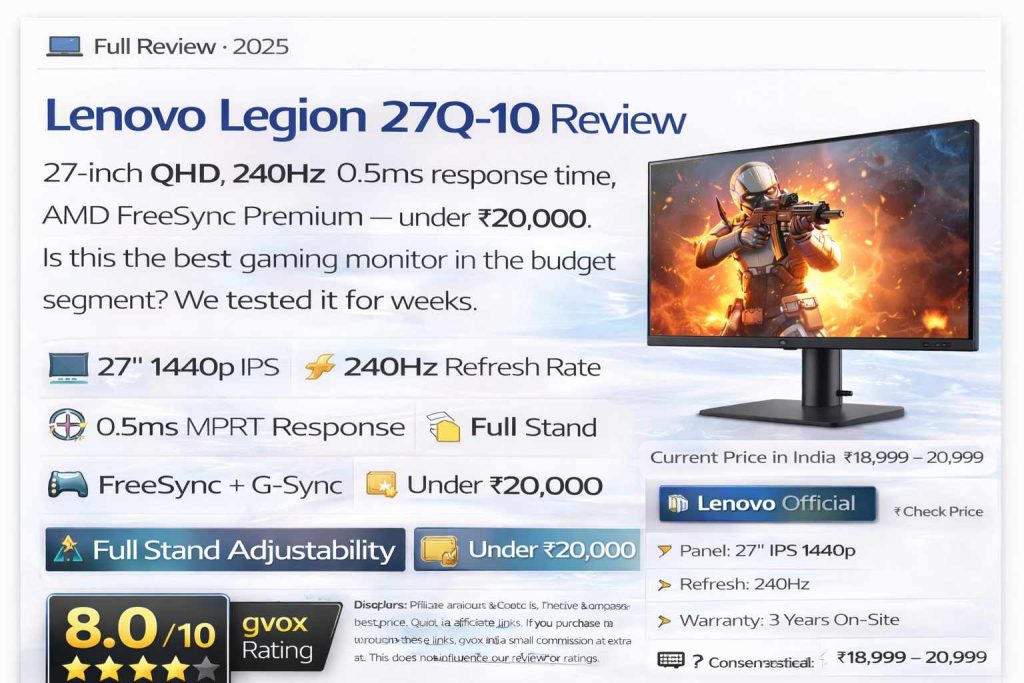
Lenovo Legion 27Q-10 Review
27-inch QHD, 240Hz, 0.5ms response time, AMD FreeSync Premium — under ₹20,000. Is this the best gaming monitor in the budget segment? We tested it for weeks.
Quick Verdict: The Lenovo Legion 27Q-10 is a seriously capable gaming monitor under ₹20,000. It offers a 27-inch 1440p IPS panel at 240Hz with 0.5ms MPRT response, AMD FreeSync Premium, G-Sync compatibility, full stand adjustability, and a factory-calibrated panel with Delta E <2. The only real complaints are the old-school push-button OSD controls (joystick would have been better) and poor built-in HDR implementation. For gamers and general users who want a large, sharp, fast display at a budget price — this delivers.
📋 Table of Contents
What’s in the Box
The Lenovo Legion 27Q-10 comes in a clean, compact box with everything you need to get started:
- 27-inch Legion monitor — well-protected in thick foam
- DisplayPort 1.4 cable — required for 240Hz (included, good quality)
- Power cord — standard 3-pin IEC type
- Monitor arm/neck stand — metal-reinforced, spring-loaded
- Circular base plate — enables swivel rotation mechanism
- 4 thumb screws — for attaching arm to monitor panel
- Factory calibration report — unit-specific with serial number, showing Delta E and color accuracy data
- Quick-start guide and documentation
Design & Build Quality
The Lenovo Legion 27Q-10 has a minimalist, professional aesthetic that feels more like a productivity monitor than a typical gamer-oriented display. There are no RGB lights, no aggressive angles, and no chunky gamer styling — just a clean matte black design with tasteful Legion branding.
The front features ultra-thin three-sided bezels with the Legion logo centered on the bottom chin. The chin itself is slightly thick by 2025 standards but is standard for this price segment. The back panel features a flat, boxy design with the Legion logo prominently displayed and the Lenovo branding on the stand — some users note that the overall aesthetic gives an iMac-like boxy, minimal impression.
Build Quality:
The entire monitor body is polycarbonate (ABS plastic) — there is no metal panel. However, the build quality is surprisingly solid. The wobble is minimal — significantly less than many curved monitors in this price range. It doesn’t feel hollow or cheap when you touch or adjust it. The stand base and arm are well-reinforced, with the arm being spring-loaded for effortless height adjustment.
The monitor panel has a matte anti-glare coating that reduces reflections effectively. Even in rooms with windows or bright lighting behind the user, the anti-glare treatment keeps the image visible without annoying reflections.
Stand & Adjustability
The stand is one of the Legion 27Q-10’s standout features. It offers all four adjustment types that you’d normally find only on premium monitors:
| Height Adjustment | 135mm range — easily switch between sitting and standing desk use |
| Tilt | -5° to +22° — forward and backward tilt for optimal viewing angle |
| Swivel | ±30° left and right — unique mechanism via a disc at the base (entire stand rotates, not just the neck) |
| Pivot | -90° to +90° — full portrait rotation for vertical use |
| Spring-Loaded Arm | Yes — one-finger height adjustment with no friction or resistance |
| VESA Mount | 100×100mm — compatible with monitor arms and wall mounts |
| Cable Management | Built-in hole/channel in the arm for routing cables cleanly |
Stand assembly requires inserting the arm into the panel back and tightening four thumb screws. This is a minor inconvenience compared to the tool-free snap mechanism found on some competitors, but the result is a very secure, rattle-free connection.
Ports & Connectivity
| HDMI Ports | 2× HDMI 2.1 (max 144Hz via HDMI) |
| DisplayPort | 1× DisplayPort 1.4 (required for 240Hz) |
| Audio Out | 1× 3.5mm headphone/speaker output |
| USB Hub | ❌ Not available |
| USB Type-C | ❌ Not available |
| Built-in Speakers | ❌ Not available |
The 3.5mm audio output is useful for connecting desktop speakers or headphones — especially helpful if your PC or laptop is placed away from your seated position.
Display Quality
At the heart of the Legion 27Q-10 is a 27-inch IPS panel at 2560×1440 (QHD/1440p) resolution. This combination hits the sweet spot for 2025 — sharp enough for productivity, smooth enough for gaming, and not so demanding on the GPU as 4K.
| Panel Type | IPS (In-Plane Switching) with Anti-glare coating |
| Screen Size | 27 inches |
| Resolution | 2560×1440 (QHD / 1440p / 2K) |
| Aspect Ratio | 16:9 |
| Refresh Rate | 240Hz |
| Response Time (GtG) | 1ms |
| Response Time (MPRT) | 0.5ms (with MPRT mode enabled) |
| Peak Brightness | 300 nits |
| Contrast Ratio | 1000:1 (typical IPS) |
| Color Depth | 8-bit (16.7 million colors) |
| sRGB Coverage | 99% |
| DCI-P3 Coverage | 90% |
| Color Accuracy | Delta E <2 (factory calibrated) |
| Viewing Angles | 178° horizontal / 178° vertical |
| HDR Support | HDR10 (limited — see HDR section) |
| Pixel Density | 109 PPI |
| Curve | Flat |
Why 27-inch + 1440p is the Perfect Match:
At 27 inches, 1440p delivers 109 PPI — the ideal balance between sharpness and GPU demand. At 1080p on a 27-inch screen, you’ll notice pixelation up close. At 4K on a 27-inch, you need an extremely powerful GPU. 1440p at 27 inches needs no upscaling and looks crisp from normal viewing distances — making it excellent for text, coding, editing, and gaming alike.
Real-World Display Experience:
Colors are vibrant and accurate with 99% sRGB coverage. The IPS panel delivers true wide viewing angles — you can view the screen from extreme angles without color shift or washout. Brightness at 300 nits is adequate for indoor use in normal and well-lit rooms. The anti-glare coating handles reflections well.
Black levels are decent but not deep — this is an IPS panel with 1000:1 contrast, so you’ll see slightly grey/bluish blacks in dark scenes rather than the inky blacks of OLED or VA panels. This is a known trade-off with IPS technology and expected at this price point.
Minor backlight bleeding was observed on some units near the bottom edges during full-black scenes. IPS glow is visible at full brightness in very dark content but not noticeable during normal use. Both are typical for this panel type and price range.
Gaming Performance
Gaming is where the Lenovo Legion 27Q-10 really earns its keep. The 240Hz refresh rate paired with 0.5ms MPRT response time delivers a noticeably smoother, more responsive experience than 144Hz or 165Hz monitors.
Gaming Highlights:
- 240Hz gaming — visibly smoother than 144Hz; competitive advantage in fast-paced games is real and noticeable
- AMD FreeSync Premium — eliminates screen tearing across all AMD GPUs
- G-Sync compatible (NVIDIA) — works with NVIDIA GPUs via adaptive sync
- VESA Adaptive Sync — universal adaptive sync support
- Dolby Vision — supported for compatible content
- MPRT Mode (0.5ms) — backlight strobing reduces motion blur significantly; best for esports in dark rooms
- Overdrive (4 levels) — Level 2 recommended (best balance of response and no artifacts); Level 3 has minimal artifacts; Level 4 shows visible overshoot — avoid
- Console support — PS5 and Xbox can connect via HDMI 2.1 at up to 144Hz
- Game modes — Standard, FPS 1, FPS 2, RTS presets in OSD
Games Tested:
Users and reviewers tested: Valorant, CS2, BGMI (via console), God of War (story gaming), Forza Motorsport, Call of Duty, BeamNG.Drive, Minecraft, and more. Results across all titles were smooth and responsive — no complaints on the gaming front. The 240Hz advantage is most apparent in fast-paced FPS titles.
The 1440p resolution adds graphical richness over 1080p without requiring an extreme GPU. Mid-range cards (RTX 4060, RX 7600 or better) can push 100+ FPS at 1440p in most titles, making the 240Hz useful for players with capable hardware.
OSD Controls — The Main Disappointment
The four buttons are stiff, require hard presses, and cause the monitor to wobble during navigation. The button repeat is enabled by default, meaning the selector can jump two steps in the menu when you intended to move one — a frustrating experience. Lenovo does allow disabling button repeat in the menu, but this should be off by default.
In a market where nearly every gaming monitor now uses a joystick for OSD control, the Legion 27Q-10’s button layout feels outdated. It’s especially jarring on a monitor marketed for gamers, where the Legion branding and gaming features suggest a premium experience.
OSD Features Available:
- Game Settings: FPS modes (Standard, FPS1, FPS2, RTS)
- Overdrive: 4 levels (Off, Level 1, 2, 3, 4)
- MPRT mode toggle
- FreeSync Premium toggle
- Screen Settings: Brightness, Contrast, DCR, HDR, Scaling Mode, Sharpness
- Color Settings: Warm, Neutral, Cool, sRGB, DCI-P3, User (custom RGB)
- Dark Boost: 4 levels (Dark Boost Level 4 recommended for general use)
- Port Settings: Input source selection (HDMI1, HDMI2, DP)
- Menu Settings: Language, Volume, Button Repeat Rate, LED, OSD Timeout, Transparency, DDC, Reset
HDR & Color Accuracy
HDR — Keep It Off:
With HDR OFF in the monitor OSD, the standard SDR image is clean, well-balanced, and genuinely good-looking. Let the operating system (Windows HDR Auto) handle HDR passthrough if needed — the monitor hardware can pass through HDR signals, but its built-in tone mapping is poorly tuned.
Color Accuracy:
With 99% sRGB, 90% DCI-P3 coverage, and factory-certified Delta E <2, the Legion 27Q-10 is accurate enough for casual photo editing, YouTube-level video color grading, and content creation. The colors look natural and well-balanced in normal use.
For professional color-critical work (commercial photography, broadcast video, professional graphic design), the limitations of an 8-bit panel without 10-bit FRC support and the slightly warm color cast noted by some reviewers mean this is not the ideal choice. A dedicated professional display with 100% DCI-P3 and 10-bit support would be more appropriate.
For everyone else — students, casual creators, office workers, and gamers — the color accuracy is more than sufficient.
Who Should Buy This?
Pros & Cons
✅ Pros
- 240Hz refresh rate — smoothest in sub-₹20,000 segment
- 1440p IPS panel — sharp, accurate, wide viewing angles
- 0.5ms MPRT response time for esports
- AMD FreeSync Premium + G-Sync compatible
- Full stand adjustability (tilt, swivel, height, pivot)
- Unique disc-based swivel mechanism — smooth and stable
- Spring-loaded arm — effortless height adjustment
- VESA 100×100mm mount support
- Factory calibration report (Delta E <2) included
- 99% sRGB / 90% DCI-P3 color coverage
- Cable management channel in stand arm
- Lenovo Artery software support (Windows OSD control)
- Dolby Vision compatible
- HDMI 2.1 (2 ports) + DisplayPort 1.4
- 3-year on-site warranty
- Minimal IPS glow and backlight bleed for IPS class
- Sleek, minimal gaming aesthetic — not over-styled
❌ Cons
- No joystick OSD control — push-buttons are stiff and annoying
- Button repeat enabled by default — causes menu navigation issues
- HDR implementation is poor — keep it off
- No built-in speakers
- No USB Type-C port — laptop users need adapter for 240Hz
- No USB hub
- HDMI limited to 144Hz — DisplayPort required for 240Hz
- 8-bit panel only (no 10-bit or 10-bit FRC)
- MPRT mode drops brightness to ~18 nits — unusable in bright rooms
- No crosshair overlay in OSD
- Pivot rotation requires going to max height first — slightly awkward
- Polycarbonate build — no metal panel
Full Specifications
| Model | Lenovo Legion 27Q-10 (68C6GAC4IN) |
| Panel Type | IPS with Anti-Glare coating |
| Screen Size | 27 inches (68.6 cm) |
| Resolution | 2560×1440 (QHD / 1440p) |
| Aspect Ratio | 16:9 |
| Refresh Rate | 240Hz |
| Response Time | 1ms GtG / 0.5ms MPRT |
| Brightness | 300 nits (typical) |
| Contrast Ratio | 1000:1 |
| Color Depth | 8-bit (16.7 million colors) |
| sRGB Coverage | 99% |
| DCI-P3 Coverage | 90% |
| Color Accuracy | Delta E <2 (factory calibrated) |
| Viewing Angles | 178°/178° (H/V) |
| Pixel Pitch | 0.2331mm (109 PPI) |
| HDR | HDR10 (limited — 300 nit brightness) |
| Sync Technology | AMD FreeSync Premium, NVIDIA G-Sync Compatible, VESA Adaptive Sync |
| Dolby Vision | Yes |
| Ports | 2× HDMI 2.1, 1× DisplayPort 1.4, 1× 3.5mm audio out |
| USB Hub | No |
| USB Type-C | No |
| Built-in Speakers | No |
| OSD Control | 4 push-buttons (no joystick) + Lenovo Artery software |
| Stand Adjustments | Tilt (-5°/+22°), Swivel (±30°), Height (135mm), Pivot (-90°/+90°) |
| VESA Mount | 100×100mm |
| Cable Management | Yes (channel in arm) |
| Build Material | Polycarbonate (ABS plastic) |
| Certifications | Eye-care (TÜV), EPEAT, ENERGY STAR |
| Power Supply | Internal — standard 3-pin IEC power cord |
| Warranty | 3 Years On-Site |
| Price in India | ₹18,999 – ₹20,999 |
| Colors | Raven Black (Matte) |
⭐ Final Verdict
The Lenovo Legion 27Q-10 is one of the best gaming monitors you can buy under ₹20,000 in India in 2025. It delivers a 27-inch 1440p IPS panel at 240Hz — a combination that would have cost significantly more just two years ago — with full stand adjustability, factory-calibrated color accuracy, FreeSync + G-Sync support, and a clean minimal design. The OSD push-buttons are frustrating, and the HDR mode should be kept off, but these are minor issues in an otherwise excellent package. If you’re a gamer looking for smooth, competitive-level performance on a budget, or a general user who wants a large sharp display for productivity and casual gaming — buy this.